
Using a git provider
The first thing to do is select a GIT hosting service. The most popular are:
Those services host your GIT repository and allow you to interact with your team. There are some methodologies that you can follow when working with GIT, my suggestion is that you use gitflow: Using gitflow for code control
Protecting branches
As I suggested it is a good practice to use pull request to integrate changes to the develop and/or master branches.
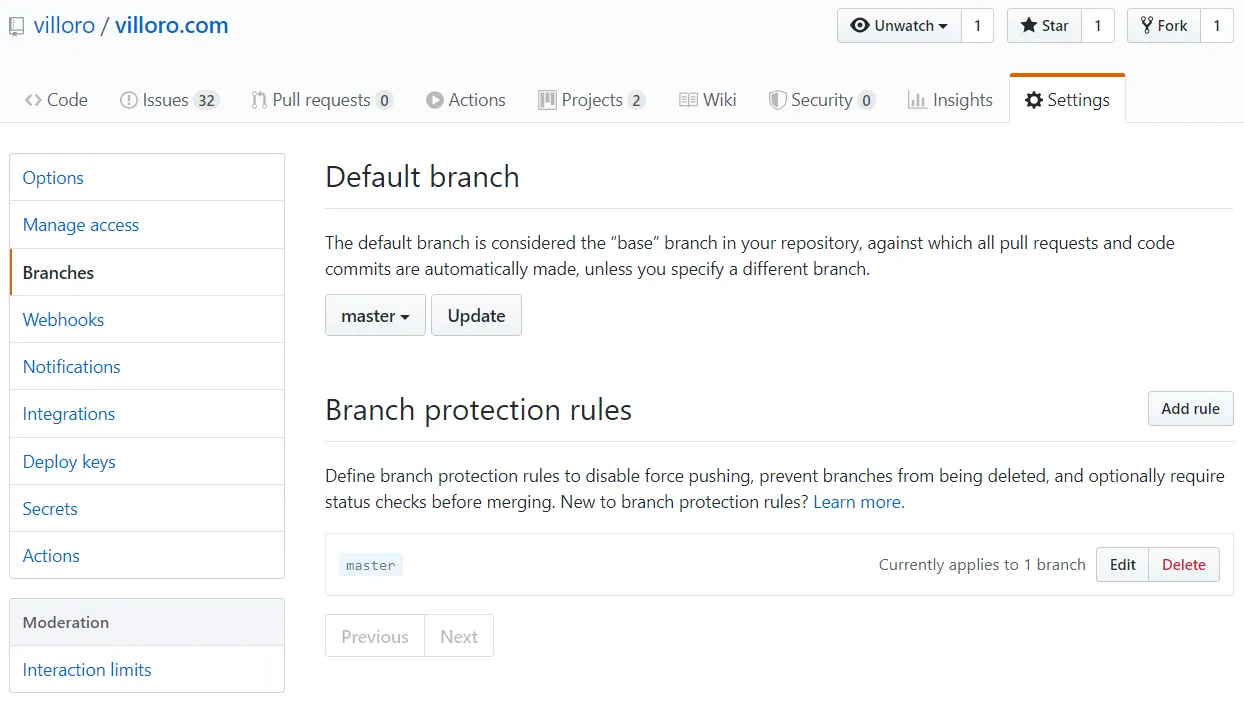
Since people can do mistakes you should set some branch protection.
As an example this is how you prevent the master branch to be deleted or to have direct changes (all changes should come from a pull request).
Install a custom terminal
If you are developing you almost certainly will also be using a terminal. If you are a Windows the default terminal lacks a lot of nice features so I you can install a custom terminal.
My personal favorite is cmder: Cmder terminal for windows
With cmder you can define your own alias. Here you have an example of the ones I am using:
C:\cmder\config\user_aliases.cmd
ll=ls -lah
cdp=cd c:/GIT  # This is my default folder for GIT projects
jn=cd C:/GIT $t jupyter notebook
jl=cd c:/GIT $t jupyter lab
rf=python src/index.py
You should append that to the end of the user_aliases.cmd file. Do not remove the existing content.
Connect to your GIT hosting service
There are different ways to connect to the GIT hosting service. The more secure one is by setting up a SSH key: Using git with SSH
GIT Client
You can work with GIT with your terminal or by using a program. In my case I like using Sublime Merge.
It works in Windows, Mac and Linux and uses only GIT commands under the hood.
Installing an IDE
In order to develop you need to write text files. You can do it with any text editor but there IDEs that have a lot of nice features.
The one I like the most is Sublime Text 3.
It is also important to install extensions for your IDE that can help you.
As an example you can use black with sublack for Sublime Text: Black for code formatting
Create package with poetry
Then you need to create your project. The important part is that you use some kind of virtual environment / package control like:
I find that Poetry is the easiest and the one that has more useful features. You can read more about it here: Poetry package manager
Pre-commit
Git Hooks are a good way to automate some tasks.
There are multiple way of using them. What I suggest is that you use pre-commit: Using Pre-commit to automate tasks
Pre-commit can be used for any language even though is developed with python.
My bare minimum for pre-commit with python is to add:
- black
- flake8
CI Integration
Continuous Integration (CI) allows to automate tasks such as testing and deploying. If you don’t know what it is you can read it Continuous integration.
There are a lot of CI providers, the more famous are:
Deploying
Finally you might want to deploy your code.
For an app my favorite is Heroku.
It has free options and is really easy to set up.
For static webpages you should use Netlify. They are the ones hosting this webpage.
Finally for other stuff I usually use AWS.